
For iPad · Yamaha Rivage PM
The note for now, and the one for next.
Scene Notes listens to a Rivage PM over the network and turns the page the moment a scene is recalled. Your notes, on the desk, without touching anything.
Free to write and read your shows. Following a console is a subscription, with the first 14 days free.
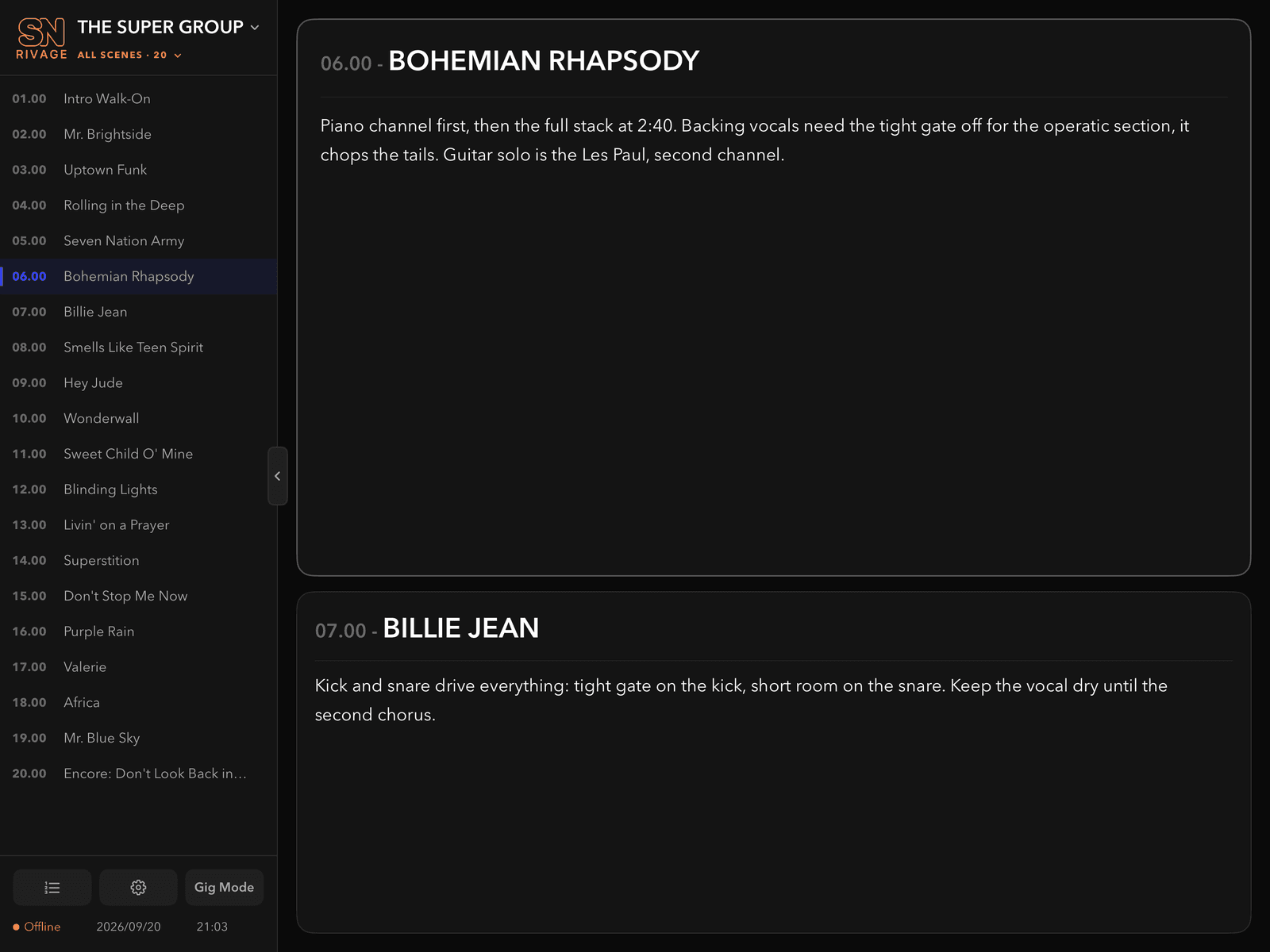
What it does
Built for the desk, not the office.
Every scene on the console can carry a note. When a scene is recalled, NOW shows its note and NEXT shows the one after it in tonight's running order. No tapping, no scrolling, no looking away from the desk.
NOW
The scene the console is on and the note you wrote for it. Stacked with NEXT or side by side, in the text size you want from across the desk.
NEXT
The scene after it in tonight's running order, so you already know what is coming. Encores that revisit a scene still know what follows.
Running orders
Build a set list per night by tapping scenes in order, or press Record and recall them on the console as you go.
Notes that stay put
A note belongs to a scene in a show and follows it through every running order. A second, coloured note can be added for one night only.
Gig Mode
One tap locks the show and running order, puts the settings away and leaves the cards following the console. Leaving is a deliberate slide, not a stray touch.
Backups in Files
Every show is mirrored as a file in the Files app. Press Backup before doors, export to share, import to restore. Nothing leaves the iPad unless you send it.
How it connects
Read-only, and nothing to set up on the desk.
Scene Notes talks Yamaha's own remote control protocol over the network, the same one MonitorMix and ProVisionaire use. It subscribes to scene recalls and reads scene names and the console's own comments. It never sends a recall or changes a parameter.
The iPad opens the connection to the console, so the console never needs to know the iPad exists. Unplug mid-show and the desk does not care. Lose the network and the app reconnects on its own when it comes back.
You will need
- An iPad on iPadOS 18 or later.
- A Yamaha Rivage PM console (PM3, PM5, PM7, PM10) with a DSP engine.
- A network path from the iPad to the engine's NETWORK [PC] port, wired or over your own Wi-Fi.
- The console's DSP ENGINE IP with its ENABLE switch on, under SETUP, NETWORK, FOR MIXER CONTROL.
A step-by-step guide with a port check is built into the app under Settings. The same guide is on the support page.
Pricing
Free to write. Subscribe to follow the console.
Shows, notes and running orders are free to make and read, so you can see the whole app before paying. The live link to a console needs a subscription. Try it free for 14 days, then choose a plan.
Yearly
£19.99 / year
14 days free, then billed yearly. Cancel any time.
Monthly
£2.99 / month
14 days free, then billed monthly. Good for a one-off tour.
Prices are set in the App Store and shown in your local currency there. Subscriptions renew automatically unless cancelled at least 24 hours before the end of the period, and are managed under Subscriptions in the iPad's Settings. See the terms of use.
Tested on a real desk
Made by an engineer who mixes on one.
Scene Notes was written for our own shows on Rivage PM desks and has been through full show days on a real console, not only the simulator. If something does not work on your desk, we want to hear about it.